Why Do Head Swaps Look Fake?
Why do head swaps look fake, and what can you do about it? We ran our Head Swap 11 times on the same AI-made photos, changing one thing each time, and wrote down what broke.
By Facecam team
Published · 8 min read

On this page
- What makes a head swap look fake?
- What happened in our 11 test swaps?
- Why is the old hair still showing under the new head?
- Why does the hair come out too long or the wrong shape?
- Why doesn't the result look like the person?
- Does the lighting have to match?
- How do you make a head swap look real?
- What didn't we test?
- Questions
Short answer
A head swap usually looks fake because of the photos going in, not the swap itself: a head photo with the hair cut off at the edge, a head photo that's tiny, or long hair in the other photo that the new head doesn't cover, so the old hair hangs out underneath. In our 11 runs, sharp, matched photos came out clean every time, while a 150-pixel head photo once came back as a different person and the old hair showed through twice. Use a sharp head photo with all the hair in frame, change a photo where the person faces the same way, and check the shoulders before you download.
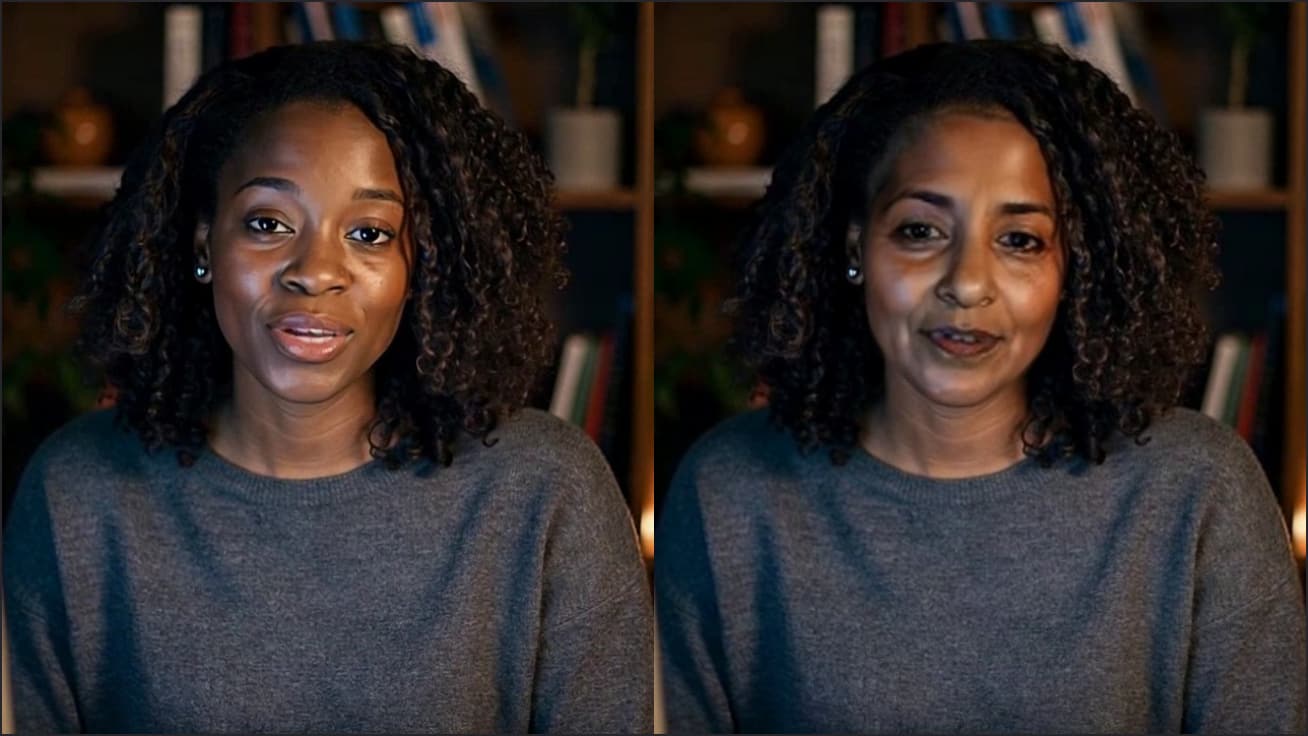
The photo pair at the top of this page is a face swap: only the face changed, and her own hair stayed. There's no hairline to get wrong, which is why face swaps often pass at a glance. A head swap has to bring the hair, and redraw whatever the old hair covered. Most fake-looking head swaps give themselves away right there.
What makes a head swap look fake?
Four things gave our results away, and none of them was a bad face. Old hair left hanging under the new head. Hair the wrong length when the head photo didn't show where it ended. A different person, or a slightly different one, when the head photo was tiny or the head was turned. And once, a whole new photo: a new background, new hands, a different jacket. The neck seams, halos and mismatched skin that older guides warn about didn't show up in any of our 11 results.
Head Swap is a browser tool that puts a whole head, hair included, from one photo onto the person in another photo, keeping their body, pose, clothes and background. Ours runs on an image editing model that redraws the picture rather than cutting and pasting. That's why the old cut-out tells are rare, and why the new ones are about hair and likeness. Each run took 17 to 27.4 seconds, 20.9 on the median.
What happened in our 11 test swaps?
We changed one thing per run and kept everything else the same: the same curly-haired head photo going onto the same long-haired woman in a park.
| What we changed | Likeness | Scene change | What we saw at full size |
|---|---|---|---|
| Nothing (sharp, matched photos), run 1 | 93 | 10 | Clean hairline, neck and shoulders |
| Nothing, run 2 | 95 | 13 | Clean |
| Head photo shrunk to 512 px wide | 94 | 10 | Clean |
| Head photo shrunk to 300 px wide | 92 | 7 | Old straight hair hanging below the new curls |
| Head photo shrunk to 150 px wide, run 1 | 30 | 57 | A different woman in a different park, hands added |
| Head photo shrunk to 150 px wide, run 2 | 90 | 10 | Clean |
| Head photo cropped to forehead and chin | 90 | 13 | Curls grew well past the shoulders |
| Photo changed to hard sunset light, run 1 | 91 | 6 | New head lit orange; old hair showing below it |
| Photo changed to hard sunset light, run 2 | 91 | 8 | Clean, lit to match the sunset |
| Head turned about 40° in the photo | 66 | 12 | Turn kept; hair came out darker |
| Head photo in hard side light | 64 | 12 | Relit to the park's soft light; face a little different |
| Value | |
|---|---|
| Matched photos | 94 |
| 512 px head photo | 94 |
| 300 px head photo | 92 |
| Sunset light | 91 |
| Hair cropped off | 90 |
| Head turned 40° | 66 |
| Side-lit head photo | 64 |
| 150 px head photo (bad run) | 30 |
Why is the old hair still showing under the new head?
Because the model has to invent what was behind the old hair, and sometimes it doesn't remove all of it. In 2 of our 11 runs, straight light-brown strands from the original photo hung down over the denim jacket below the new shoulder-length curls. Up close it's obvious: two hairstyles on one woman. It happened once in normal light and once at sunset, and the same photos came out clean on other runs, so it's luck, not a setting.
Every photo we changed had long hair, which is the hard case: the new hair ended higher than the old hair. A photo where the person's hair is the same length or shorter than the new head's, or tied back, leaves nothing to clean up. If you only have a long-haired photo, run it again when the old hair shows. Each run is a little different, and that's what fixed it for us.
Why does the hair come out too long or the wrong shape?
When the head photo is cropped, the model guesses the rest. We cropped our head photo from the forehead to the chin, and the result had a full head of curls hanging well past the shoulders, longer than the real woman's hair. The face still scored 90, so it looked like her, just with someone else's haircut. Give it the whole head: the top of the hair and where it ends, with a little room around it.
Why doesn't the result look like the person?
Usually a small head photo or a turned head. Our 512 px and 300 px copies of the head photo kept almost all of the likeness (94 and 92). The 150 px copy worked once (90) and failed once badly: the model drew a different woman (30) and redrew the whole picture, with a new path, new trees and hands that weren't there. Its scene change was 57 against 7 to 13 for every other run. Use the original photo, not a thumbnail or a screenshot of one.
With the head turned about 40° in the photo being changed, the swap kept the turn and the score fell to 66. Most of that is how face recognition handles a turned face, but the hair also came out darker than in the head photo. Turned heads are possible; front-facing photos on both sides are simply more reliable.
Does the lighting have to match?
Less than the guides suggest, at least with this kind of model. Magic Hour's head swap guide, Gilisoft's and a DEV Community checklist all put matching the light near the top. In our test the model did that part itself: on the sunset photo the new head came back lit orange from the same side as the old one, and a head photo lit hard from one side came back in the park's soft, even light. We saw no seam at the neck in any run. Light is worth matching when you can, but hair and photo size mattered more.
How do you make a head swap look real?
Pick a sharp head photo with all the hair in frame
Use the original file, at least 512 px wide, facing the camera, with the top of the hair and its ends both visible. No sunglasses or hands over the face. No photo of the head you want? Head Swap also has built-in faces.
Pick a photo to change with one person and their shoulders in frame
They should face roughly the same way as the head photo. Hair that's the same length or shorter than the new head's, or tied back, avoids leftover strands. Crop a group photo to one person first.
Click Swap head
A swap took 17 to 27.4 seconds in our runs. Head Swap comes with every paid plan, at 30 credits a photo; the photos are checked for one person first, and a photo with no one in it, or a swap that fails, isn't charged.
Check it at full size before you download
Look at the hairline, below the new hair on the shoulders, the neck and the ears. Compare the background and hands with your photo: if they changed, the head photo was probably too small.
Run it again if old hair shows
Each run is a little different. That fixed the leftover hair in our test; a bigger head photo fixes the redrawn scene.

If you want to keep the photo's own hair, a face swap is the safer choice: Photo Face Swap changes only the face, so there's no hairline to get wrong, and you can try it free. Our guide to face swapping two photos shows what that looks like.
What didn't we test?
Our cast was two women of similar age and skin tone, so we didn't test men, beards, glasses, hats, children, very different skin tones or a full side profile. Eleven runs is enough to show what goes wrong but not to give reliable rates: 2 in 11 for leftover hair could be 1 in 10 or 1 in 3. We sent the photos straight to Head Swap's model rather than through the website, so we skipped the one-person check and never hit the second model the tool tries when the first refuses a photo. ArcFace measures likeness the way face recognition sees it, which isn't always how a friend would.
Questions
Why does my head swap look photoshopped?
Usually the hair: old hair left below the new head, or hair the wrong length because the head photo was cropped. Use a head photo with all the hair in frame and run it again if the old hair shows.
Why does my head swap look like a different person?
The head photo is probably too small or the head is turned. In our test a 150-pixel head photo once came back as a different woman, while 300 and 512 pixel copies kept a likeness score of 92 and 94 out of 100.
Do the two photos need the same lighting for a head swap?
It helps, but Head Swap relights the new head to the photo it goes on. In our test a head photo in hard side light came out in soft park light, and a sunset photo gave the new head orange sunset light.
How long does an AI head swap take?
Between 17 and 27.4 seconds per photo in our 11 runs of Head Swap's model on November 13, 2026, with a median of 20.9.
How much does Head Swap cost?
Head Swap comes with every paid plan at 30 credits a photo. The Starter plan, $10 a month, covers 24 head swaps if you use nothing else.
Keep reading
Face Swap
Is Swapface Safe?
Is Swapface safe to download and pay for? We downloaded its Windows installer, checked the signature and read its privacy, refund and terms pages on November 8, 2026. Here is what's fine, and the three things to watch.
7 min read
Face Swap
Virtual Camera Not Showing Up in Google Meet? 6 Causes We Tested
Virtual camera not showing up in Google Meet or Zoom on the web? We loaded the Facecam extension in Chrome, changed one thing at a time and checked the camera list a page sees. Here is what hides it and how to get it back.
7 min read
Face Swap
Which Character Prompts Make a Good Face Swap Face?
Character prompts for face swap should describe the face itself, because that's the only part a swap carries. We generated 42 faces from 21 descriptions and swapped every one to see which words survive.
7 min read


Try it
Head Swap
Head Swap is a browser tool that puts a whole head, hair included, from one photo onto the person in another, keeping their body, pose, clothes and background.
Open Head Swap


