Face Swap or VTuber Model: Which Should You Stream With?
Two ways to go live without your own face. We ran one webcam clip through a live face swap, a VTuber avatar and a PNGTuber avatar and looked at what a viewer actually gets from each.
By Facecam team
Published · 7 min read

On this page
Short answer
Use a VTuber or PNGTuber avatar if you want to hide everything about how you look; use a live face swap if you want to appear as a real person with a different face. In our test the swap replaced only a box from the eyebrows to the chin, about 6% of the picture, so your hair, ears, clothes and room stay on stream. A face swap also runs about 217 ms behind your mic and costs credits by the minute, while the avatars are free.
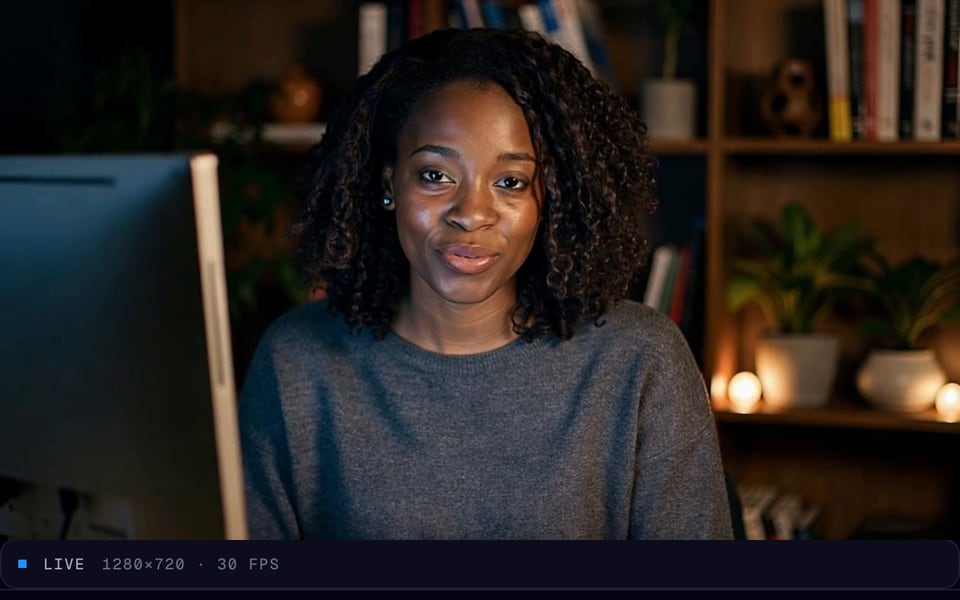
If you don't want your face on stream, the usual advice is "be a VTuber". A live face swap is the other option: you stay a real-looking person on camera, just not yourself. They hide very different amounts: the picture at the top is one moment of the same webcam clip as each of the three, exactly as a call received it.
What do viewers see with a face swap?
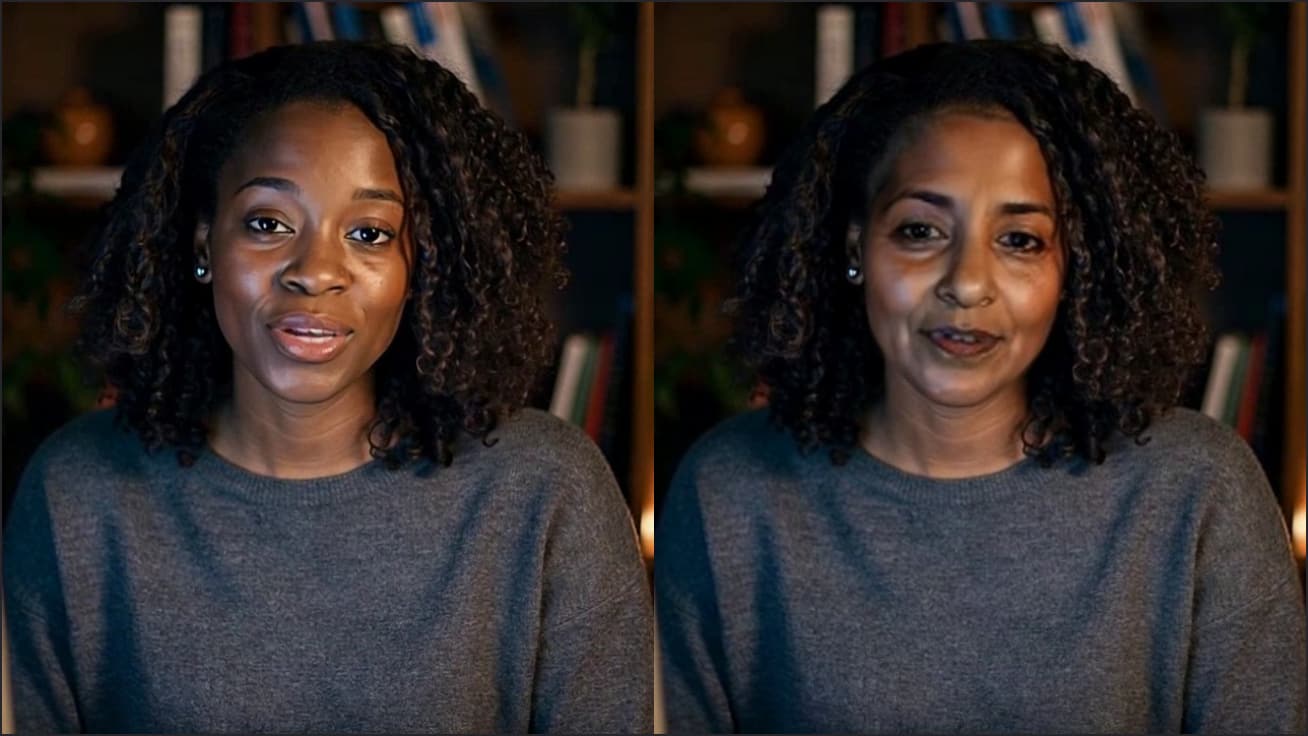
They see your whole camera picture with a different face in it. We compared 4 frames of our clip before and after the swap: every change fell inside a box from the eyebrows to the chin, about 6% of the frame, and only 1.9% of the pixels changed noticeably. Everything else is your camera, untouched.

So your hairline, ears, neck, shirt, hands, room and lighting all go out on stream. In the picture above the new face suits the hair and the sweater, which is why it looks natural. That's also the catch: anyone who knows your room, your hair or your favourite hoodie can still place you. A face swap changes who you look like, not what's around you.
- Pick a face that suits your hair and skin tone. The swap keeps your hairline, so a face that matches it looks real, and one that doesn't looks pasted on.
- Frame tighter. A head-and-shoulders crop in OBS shows less of the room.
- Change what's behind you. A plain wall, or a different spot in the room, gives away less than a desk viewers already know.
What do viewers see with a VTuber or PNGTuber?
Only the character. A VTuber avatar is a 3D or 2D model that copies your head, eyes and mouth from your webcam. A PNGTuber is a set of drawn pictures that switch when you talk, driven by your mic, so it doesn't need a camera at all. In our frames both sat on a plain dark backdrop: no hair, no clothes, no room. Your voice is the only part of you left on stream, unless you change that too.
VTuber Maker is a free browser tool that moves an avatar with your webcam's face tracking and outputs it as a virtual camera in Chrome. PNGTuber Maker is a free browser tool that animates a PNG avatar from your microphone and outputs it as a virtual camera in Chrome. Both run on your own computer; the picture never goes to a server.
How do they compare side by side?
| Live face swap | VTuber Maker | PNGTuber Maker | |
|---|---|---|---|
| What viewers see | A real person with another face | A 3D or 2D character | A drawn character |
| Still visible | Hair, ears, body, hands, room | Nothing but the avatar | Nothing but the avatar |
| Moves with | Your face, exactly | Your head, eyes and mouth | Your voice |
| Needs a webcam | Yes | Yes | No |
| Delay | About 217 ms camera to screen (median) | Runs on your computer, no network trip | Runs on your computer, no network trip |
| Cost | 4.6–6.4 credits a minute, on paid plans from $10 a month | Free | Free |
| Into OBS | VDO.Ninja link or a window capture | Window capture + chroma key | OBS link or window capture |
Cost is where the two really split. At 4.6 credits a minute, an hour of face swap is about 276 credits. Starter ($10 a month) covers about 2.6 hours, Premium ($20) about 8.6 and Pro ($50) about 21.7. At busy times the rate can rise to 6.4 a minute. An avatar costs nothing however long you stream.
How do you get each one into OBS?
From the browser, OBS can't pick either one as a camera, because the extension's Facecam Virtual Camera exists inside Chrome (Facecam for PC and Mac adds one OBS can pick). Both reach OBS as a picture of a Chrome tab instead:
Face swap: send it from Chrome
Start the swap with the Facecam extension, then either open VDO.Ninja in the same Chrome, pick the Facecam camera and add its view link to OBS as a Browser source, or add a Window Capture of the Chrome window showing the swap. Our face swap in OBS guide walks through both.
VTuber: capture the window and key out the green
In VTuber Maker, switch the background to green screen. In OBS, add a Window Capture (macOS Screen Capture on a Mac) of that Chrome window, crop it to the avatar, then right-click the source, choose Filters and add a Chroma Key.
Keep the Chrome window on screen
Don't minimise it or cover it with the game. Chrome stops drawing pages it isn't showing, and the capture freezes. A second monitor, or a small window off to the side, is the easy fix.
A browser streaming studio skips this step: StreamYard, for example, runs in Chrome, lists the Facecam camera like any webcam and sends the stream to Twitch for you. Our face swap on Twitch page compares that route with OBS.
Will a face swap put your voice out of sync?
Yes, a little, and it's easy to fix. Every swapped frame makes a round trip to our GPU servers. In our benchmark of October 4, 2026, a frame took a median of 217 ms from camera to screen in Chrome on a computer (1 frame in 20 took over 318 ms). Your microphone goes straight into OBS with no such trip, so on stream your words arrive about a fifth of a second before your lips move.
Delay the mic to match. In OBS, open Edit → Advanced Audio Properties and set your microphone's Sync Offset to about 220 ms; a window capture can add a little more. OBS doesn't apply the offset to its own preview, so record ten seconds of yourself clapping and check that the sound lands on the frame where your hands meet; adjust in steps of 20 to 40 ms. Avatars skip the network trip; we didn't time them, so run the same clap test if your lips look late.
Which one should you pick?
Pick an avatar if staying unrecognisable is the point. It hides everything a face swap leaves on show, it's free, and a character is easier to build a channel around: fan art, emotes and a name people remember.
Pick a face swap if you want viewers to see a real person. Your expressions, hands and body language all come through, because it's really you moving. That matters more than it sounds: in a 2023 University of Central Florida study of 413 students, VTuber streams scored lower than face-cam and no-face streams on social richness, how warm and personal the stream felt. Credibility and how attached viewers felt didn't differ. A face swap lets you be anyone you want and keep that human feel.
What didn't we test?
We didn't stream to Twitch or run OBS; the OBS steps follow OBS's documentation, VTuber Maker's own instructions and our OBS guide. The swap server was a stand-in replaying our GPU's real output for this clip, so the picture is what users get but the timing isn't from this run; the delay comes from our benchmark on a different day. One clip of one man facing the camera: a turned head, long hair or glasses change where the edge of the swapped area falls. We didn't measure the avatars' delay.
Questions
Is a face swap better than a VTuber model for staying anonymous?
No. A face swap replaces only your face, about 6% of the picture in our test, so your hair, body and room are still on stream. A VTuber or PNGTuber avatar hides all of that.
Is live face swap free?
No. Live face swap is part of every paid Facecam plan, from $10 a month, and uses 4.6 to 6.4 credits a minute. VTuber Maker and PNGTuber Maker are free.
Can I use a live face swap in OBS?
Yes, but not as a camera source: OBS can't see a camera that exists only inside Chrome. Bring it in with a VDO.Ninja Browser source or a Window Capture of the Chrome window.
Why is my voice ahead of my face swap on stream?
The swap takes about 217 ms to come back from the server and your mic doesn't. Set the mic's Sync Offset in OBS's Advanced Audio Properties to about 220 ms and check it with a clap test.
Keep reading
Voice
How to Do a Movie Trailer Voice: Pace, Pauses and Pitch
How to do a movie trailer voice with your own mic: how to read the line, then what a free preset and an AI narrator voice add, measured on the same take.
8 min read
Face Swap
Is Swapface Safe?
Is Swapface safe to download and pay for? We downloaded its Windows installer, checked the signature and read its privacy, refund and terms pages on November 8, 2026. Here is what's fine, and the three things to watch.
7 min read
Face Swap
Virtual Camera Not Showing Up in Google Meet? 6 Causes We Tested
Virtual camera not showing up in Google Meet or Zoom on the web? We loaded the Facecam extension in Chrome, changed one thing at a time and checked the camera list a page sees. Here is what hides it and how to get it back.
7 min read


Try it
Live Face Swap
Live Face Swap is a real-time face swap that lets you look like anyone you choose: try it with your webcam on facecam.ai, then use it as your camera in Google Meet, Zoom on the web and discord.com in Chrome with the extension, or in the Discord, Zoom and Teams apps, OBS and other desktop apps with Facecam for PC and Mac.
Open Live Face Swap


