Free Stephen Hawking AI Voice Generator
Type a sentence and hear it in the famous synthesized Stephen Hawking voice, ideal for science explainers, classroom projects and thoughtful narration.
Hear Stephen Hawking
Flat, robotic and evenly paced, with a calm synthesized tone
- 0:06
“Look up at the stars and not down at your feet. Be curious about the universe.”
- 0:06
“Today we will explore black holes, the strangest objects in the known universe.”
- 0:06
“Welcome to science class. Please put your phones away and open your minds instead.”
Or change a recording
A spoken line (Before), then the same recording in Stephen Hawking's voice (After).
Lines to try in Stephen Hawking's voice
About Stephen Hawking's voice
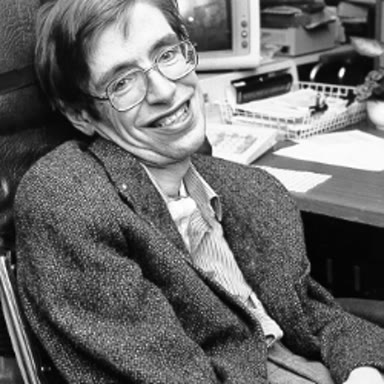
Stephen Hawking was a British theoretical physicist known for his work on black holes and cosmology and for his bestselling book A Brief History of Time. After losing his natural voice, he spoke through a speech-generating device, and he kept its distinctive computer voice for decades, considering it his own. It is flat, robotic and evenly paced, with a slight American tint and clipped consonants.
Tips for the best Stephen Hawking audio
- Write in complete, formal sentences with periods; the synthesized voice reads at an even pace, so punctuation is the only way to create pauses.
- Spell out numbers and symbols, such as nine point eight instead of 9.8, so the robotic voice reads them cleanly without stumbling.
How to make Stephen Hawking say anything
Type the line
Write what Stephen Hawking should say, up to 500 characters (200 on the free line), or press one of the scripts below.
Or use your own voice
Switch to Change my voice, then record or upload up to 60 seconds (15 on the free line): your words, timing and shouts come back in Stephen Hawking's voice.
Generate and download
It plays in a few seconds. Download the MP3 for your video, meme or stream.

Stephen Hawking AI voice FAQ
What voice did Stephen Hawking use?
He used a speech synthesizer attached to a speech-generating device. Even when newer, more natural voices became available, he chose to keep the original robotic sound because it had become part of his identity.
Can I use the Hawking voice for a school project?
Yes. It is a popular choice for science presentations, astronomy videos and classroom narration. Write in clear, complete sentences and spell out numbers for the cleanest, most authentic result.
Does it sound like the original synthesizer?
The generator reproduces the flat, evenly paced computer tone people associate with Hawking. Formal wording, spelled-out numbers and simple punctuation help it match that familiar, steady delivery.
Is the Stephen Hawking AI voice free?
You can try it free once a day without an account: up to 200 characters, or 15 seconds of your own recording. After that, each line uses credits, and the cost shows before you generate.
Can I download the Stephen Hawking audio?
Yes. Every line you make plays on the page and downloads as an MP3, ready for a video, a meme, a stream alert or a message.
More more voices and voices







Related
 Voice ChangerA free voice changer for calls and recordings: 26 voices, live in Discord, Meet and Zoom in Chrome, or on any audio file.
 Live Face SwapLive face swap for Meet, Zoom and Discord: become anyone you want, in real time, while you talk. Upload any photo or pick a built-in face.
